Explainer Video: Use Cases, 5 Tips, and AI Options
You've got roughly 8 seconds to capture someone's attention when they land on your page. That's less time than it takes to read this sentence twice.
And yet most businesses still rely on paragraphs of text to explain what they do.
Explainer videos change that equation entirely. A well-crafted explainer video communicates your value in under 90 seconds, keeps visitors engaged, and turns uncertainty into sign-ups.
In this blog post, we’re going to cover everything:
- what are explainer videos
- the different types
- when and where to use them
- tips on making great ones
- how AI is completely reshaping production
- and answers to the questions we hear most often
Let’s get into it.
So, what is an explainer video?
An explainer video is a short, focused video, typically 60 to 120 seconds long. It explains what a product, service, or concept does and why it matters to the viewer.
It’s not a commercial. It’s not a tutorial. Think of it as the elevator pitch your website always needed.
The best ones follow a simple structure that’s been proven time and again:
- Open with a relatable problem your audience actually experiences
- Introduce your product or service as the solution
- Show how it works in simple, human terms
- End with a clear call to action
The numbers back this format up. According to Wyzowl’s 2026 Video Marketing Report, 96% of people have watched an explainer video to learn more about a product or service.
And when visitors land on your page and watch one? They stay longer, understand more, and convert at higher rates.
And the data by Cheddar advertising says, landing pages with explainer videos convert at 86% higher rates than those without.
Types of explainer videos
Not all explainer videos look the same. They have different goals, audiences, and budgets call for different styles.
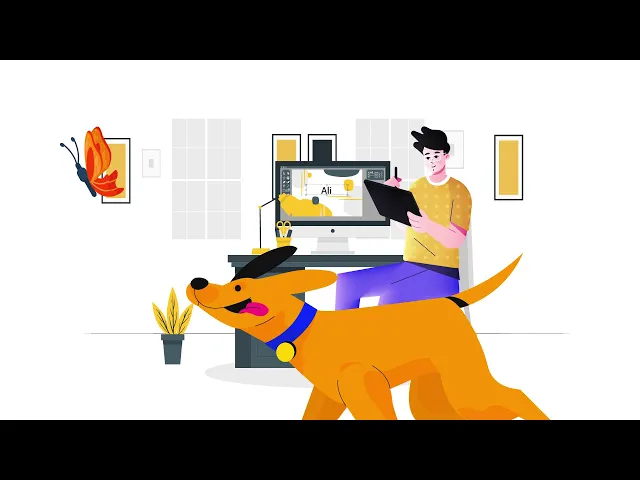
Animated explainer videos
Animated explainer videos use motion graphics, characters, and illustrated scenes to tell your story. They’re by far the most popular format in the SaaS world, and for good reason.
You can visualise what doesn’t physically exist: data flowing between systems, workflows running automatically, entire customer journeys unfolding in seconds.
They also hold up well over time. When your product updates, you can swap out a few scenes rather than reshoot an entire video.
Best for: SaaS homepages, abstract product concepts, automated workflows, multi-step processes, investor decks, app store previews.
Take a look at the example below: Youtube video
Live-Action explainer videos
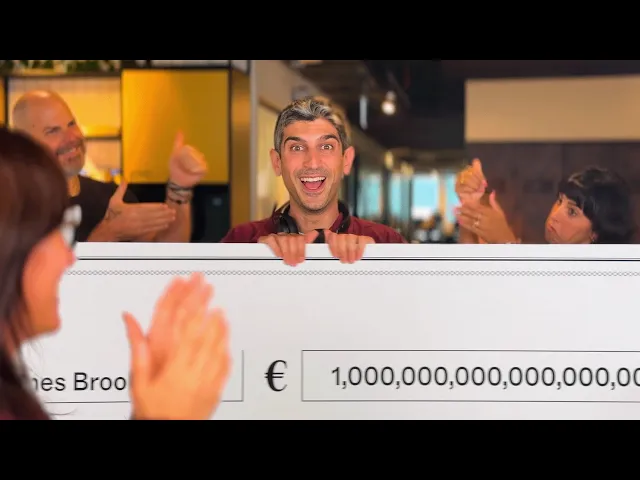
Live-action explainer videos feature real people, usually a presenter, customer, or actor, on camera. They bring warmth and human credibility that animation can’t fully replicate.
When your target buyer needs to trust the people behind the product before they trust the product itself, this format does the heavy lifting.
Best for: Enterprise SaaS, HR or people-focused tools, services with a human delivery component, products where trust is the primary conversion barrier.
Lusha, Quillbot, Imagine AI use explainer videos all to get people connect
Check out Lusha to get an example of a live action explainer video.
Screencast/demo explainer videos
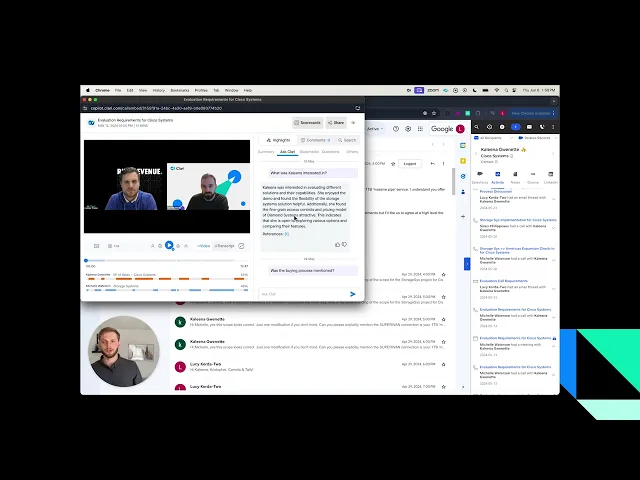
A screencast explainer records your actual product interface while a voiceover narrates what’s happening and why it matters.
You’re showing the real product, that transparency builds confidence. Prospects don’t have to wonder what the dashboard actually looks like; they can see it.
The flow generally is: here’s the problem our user faces. Here’s what they click. Here’s the result.
Best for: Feature walkthroughs, onboarding flows, help centre content, product update announcements, sales follow-up leave-behinds.
Check out Clari demo video: YouTube
Whiteboard explainer videos
Whiteboard explainer video is like hand-drawn-style illustrations that appear as if being drawn in real time. The format includes: illustrations, diagrams, and text appear on a white background as if being drawn by hand.
The effect is deliberate: it feels like being taught, not sold to. Whiteboard explainer video lends itself to breaking down complex, multi-step ideas - things that would otherwise require a lot of text or a long verbal explanation.
Best for: Any product with a steep conceptual learning curve.
Check out the whiteboard explainer video example by Alan Aponte: YouTube

AI explainer videos
The newest category and the fastest-growing one. Using AI avatars, voiceovers, and automated scripts, teams can produce polished explainer videos in a fraction of the time and cost of traditional production. We’ll dedicate a full section to this below.
This format has become the go-to for businesses who produce a high volume of explainer content, feature release videos, onboarding flows, localised versions for different markets, sales outreach personalisation, without a production team.
Best for: SaaS teams scaling content production, multilingual markets, customer education at volume, internal training, regular product update communications.
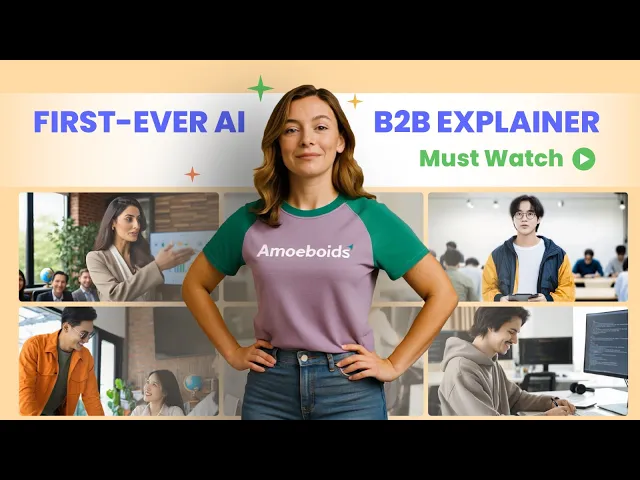
Check out this explainer video example by what a story: YouTube
Explainer video use cases: where they actually shine
One of the things people often underestimate about explainer videos is how versatile they are. They’re not just for product homepages, you can widely use it as sales conversion techniques as well.
Here’s where they create the most impact:
Product or service launch
When you’re introducing something new, a product explainer video is often the single most effective tool in your launch kit. It lets you show what you’ve built, and it gives your audience something easy to share.
Website homepage and landing pages
This is where explainer videos earn their keep, most visibly. When prospects arrive at your website, whether through a Google search or directly via LLMs, they can immediately grasp what your product offers without needing to scroll further.
According to our recent survey, we found out that when you put a video above the fold on a landing page, you can expect visitors to spend up to 88% more time on the page.
Considering conversion data indicates that landing pages featuring videos yield the highest ROI among marketing strategies (Hubspot), it is undeniable that a video should be placed here.
Sales enablement
Sales reps use explainer videos to quickly get prospects up to speed before calls, reducing the time spent on basics and making room for deeper conversation.
A 90-second video sent ahead of a discovery call can be the difference between a productive meeting and starting from scratch.
Email marketing
Including a video in email has a dramatic effect: click-through rates improve by up to 300% according to data from Loopex Digital.
Even just adding the word “video” to a subject line has been shown to boost open rates.
For onboarding sequences, product update announcements, or re-engagement campaigns, an embedded explainer is one of the highest-ROI things you can test.
Customer onboarding and support
Explainer videos are powerful for reducing support burden. Wyzowl reports that 57% of video marketers say video has helped them reduce support queries.
When a customer can watch a 90-second video instead of filing a ticket or waiting on hold, everyone wins. This is especially valuable for SaaS products with feature-heavy interfaces.
Social media Ads
Short-form explainer content performs exceptionally well on Instagram Reels, LinkedIn, and YouTube. The key is adapting your video for each platform, 60 seconds or under for most social contexts, with captions (since most people scroll on mute).
Internal communications and training
Explainer videos are not just a brand awareness video use case. Companies use them for new employee onboarding, policy rollouts, and internal tool adoption.
A video explaining a new process is far more engaging (and repeatable) than a PDF that nobody reads.
5 tips to make the best explainer video
Make sure when creating an explainer video, it has unforgettable visuals, scripts that sound like legal disclaimers, and calls to action nobody follows. Here’s what separates the ones that actually work:
Tip 1: Lead with the problem, not your product
The single biggest mistake in explainer video scripting is opening with “Hi, we’re [Company Name], and we make [product].”
Nobody cares about you yet. They care about their problems.
Start by naming a pain point your viewer recognises immediately. Make them nod. Then introduce your solution as the answer.
This is the difference between an explainer that feels like an ad and one that feels like a conversation.
Tip 2: Keep it under 90 seconds
Wistia’s research is clear: viewership drops significantly for videos longer than 2 minutes.
For explainer videos specifically, Hatch Studios and other leading production houses consistently recommend the 60-90 second sweet spot.
That’s roughly 150-200 words of script, which sounds tight until you realise that constraint is exactly what forces you to cut the fluff.
Keep your speaking pace at 150-200 words per minute, which puts your script at 225-300 words for a 90-second video. Write your first draft, then ruthlessly edit until every sentence earns its place.
Tip 3: Write a script that sounds like a human, not a brochure
Your script is the backbone of your explainer video. Animation, music, and visual storytelling can polish a great script, but they cannot save a bad one.
A few things that make scripts land:
- Talk to one person, not a crowd. Use you liberally.
- Use simple, everyday language. If your audience wouldn’t say it at lunch, cut it.
- Lead with benefits, not features. You can close deals twice as fast > Our AI-powered pipeline management module.
- Read your script aloud before you finalise it. If you trip over it, rewrite it.
Tip 4: Make your visuals do the work, your words already did
Here’s a common trap: the voiceover says “our platform connects your team” while the screen shows… a generic office stock photo. Your visuals and audio should complement each other, not repeat each other.
If your script describes a complex workflow, show a simplified animation of that workflow. If you’re explaining a pain point, show a person experiencing it visually.
Great animation adds a layer of meaning that the words alone can’t carry.
Also, don’t underestimate captions. Research from Verizon shows 69% of consumers are more likely to watch videos with captions, because most people browse with their sound off.
Tip 5: End with one clear call to action
Your explainer video needs to leave viewers knowing exactly what to do next. Not three things. One thing.
Book a demo, Start a free trial, Download the guide, Pick one and commit. If you’re hosting on a platform that supports in-video CTAs, use them.
Think about where your viewer is in their journey. If they’ve never heard of you, asking them to buy is premature. Ask them to learn more. If they’ve been considering you for a while, a “Start Free Trial” CTA makes perfect sense.
Wrapping up
Explainer videos work. They’ve worked since Dropbox used one to go from obscure beta to household name. They work in 2026, and they’ll work after that.
The fundamentals haven’t changed: find the problem, offer the solution, keep it short, make it human, tell people what to do next.
What has changed is how accessible great video has become. With AI tools, a two-person marketing team can now produce content that would have required a full production crew two years ago.
That’s a remarkable shift, and it means there’s really no excuse for not having a video that explains what you do.
Start with your script. Think about the one problem your viewer has that you solve. Say it clearly, visually, in under 90 seconds. End with a single ask.
Thanks for reading.
FAQs about explainer videos
- How long should an explainer video be?
For most products and concepts, 60 to 90 seconds is the sweet spot for completion rates and clarity.
Go longer when the viewer is already committed, like onboarding or training, and split long topics into a short series instead of one long video.
- How long does it take to produce one?
Traditional production can take weeks when you include script approvals, storyboards, voice recording, and revision rounds.
AI-assisted workflows can produce a first draft in hours or days, then spend the saved time on review, polishing, and audience fit.
- What makes an explainer convert, not just educate?
Clarity plus confidence. The viewer should leave with fewer questions than they started with, and they should believe your solution fits their situation.
A conversion-focused explainer leads with outcomes, shows proof, and ends with one easy next step.
- Is an AI avatar a good idea for an explainer?
It can be, especially when you need consistency across many versions or languages, or when recording schedules are a bottleneck.
The key is tone and pacing. Viewers accept avatars when the script is natural, the visuals match the narration, and the content respects their time.